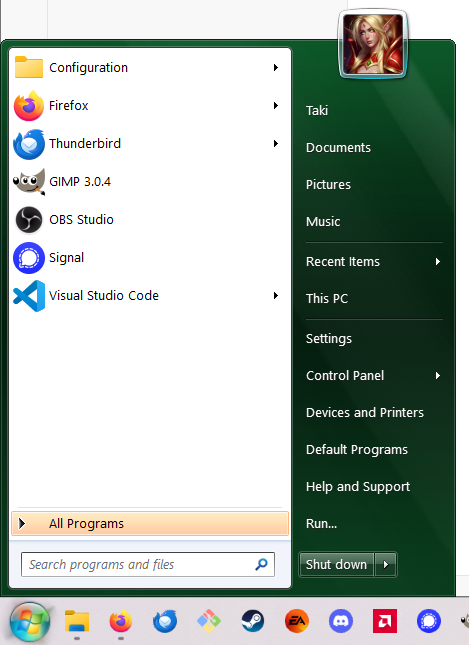
# Theme
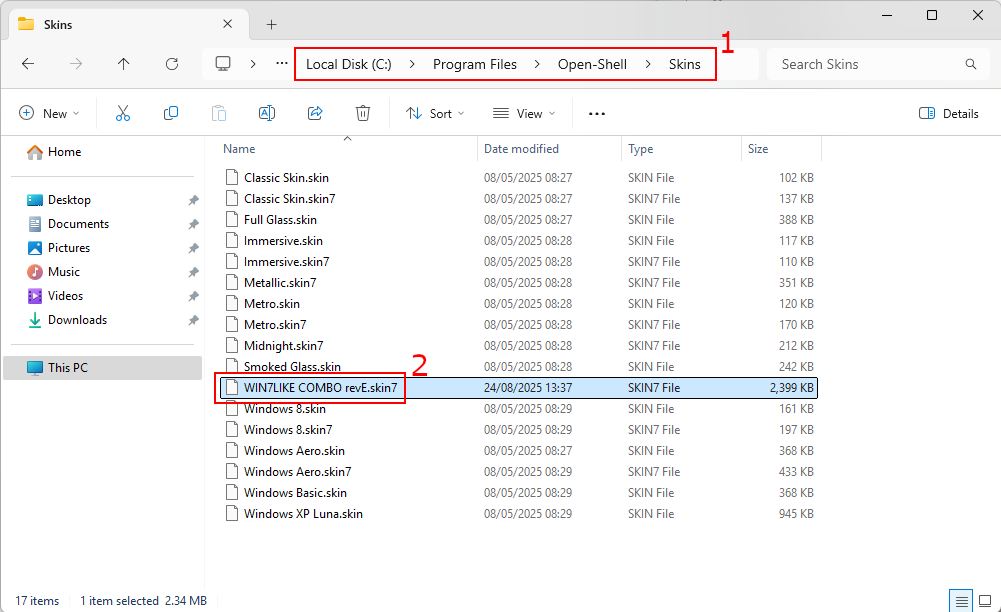
Copy the [WIN7LIKE_COMBO_revE.skin7](./WIN7LIKE_COMBO_revE.skin7) file in the `Open Shell` skins folder.
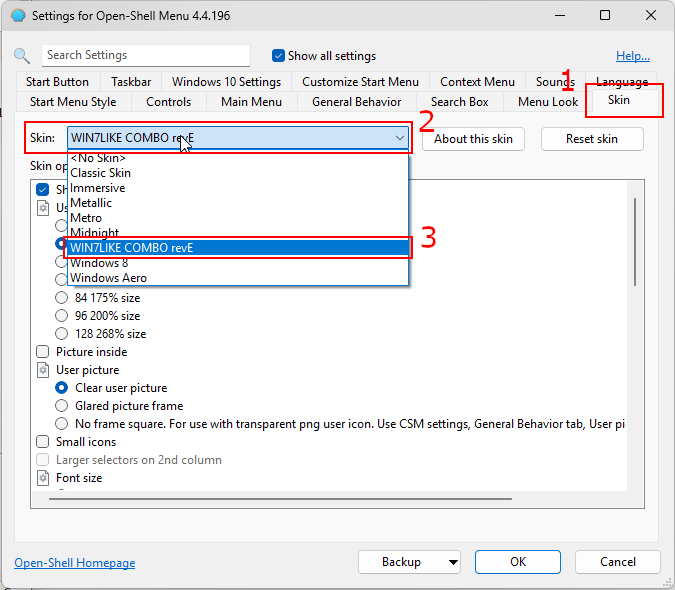
 Open the Open-shell settings, in the `Skin` tab (1), select the custom theme named `WIN7LIKE COMBO revE.skin7` (3) in the select (2).
 # Icon
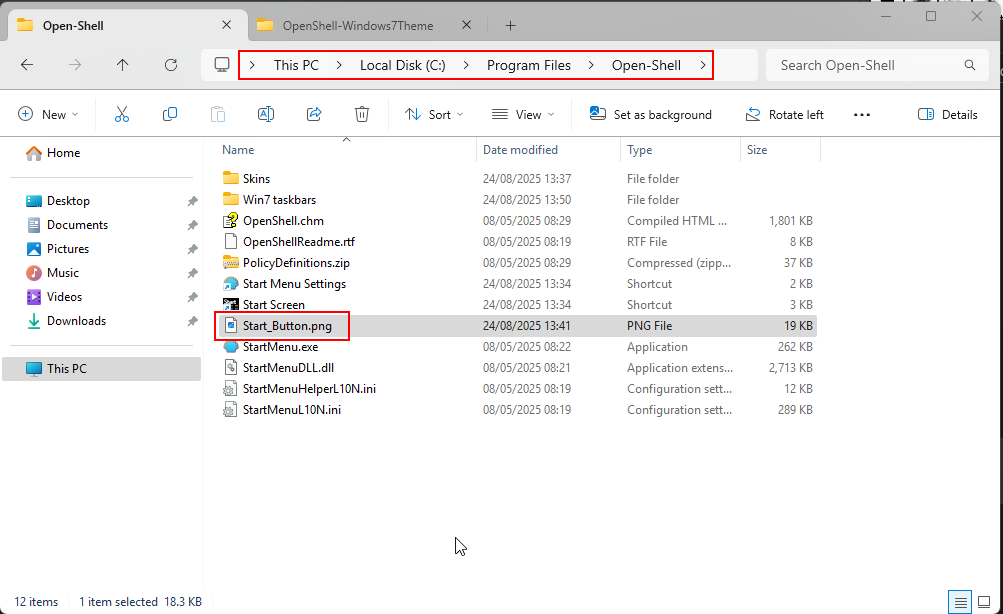
Copy the [Start_Button.png](./Start_Button.png) in the `Open Shell` folder.
# Icon
Copy the [Start_Button.png](./Start_Button.png) in the `Open Shell` folder.
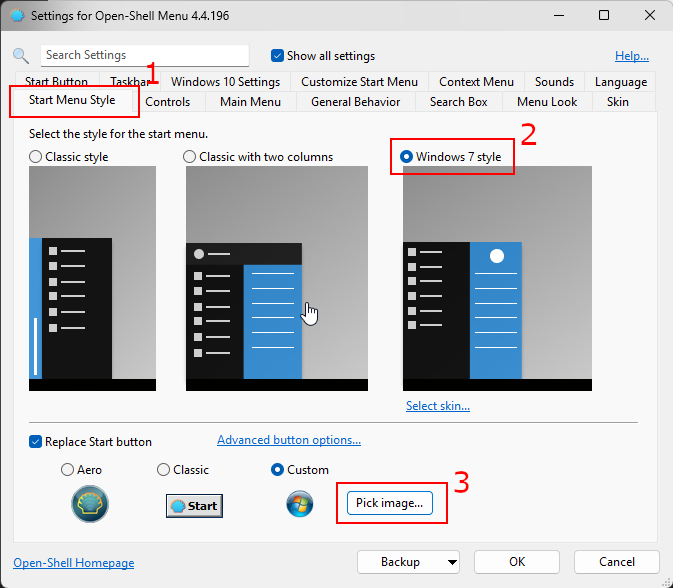
 Open the Open-shell settings, in the `Start Menu Style` tab (1), check the `Windows 7 style` is selected (2) and then click on the `Pick image...` button (3) to choose the png file you pasted earlier.
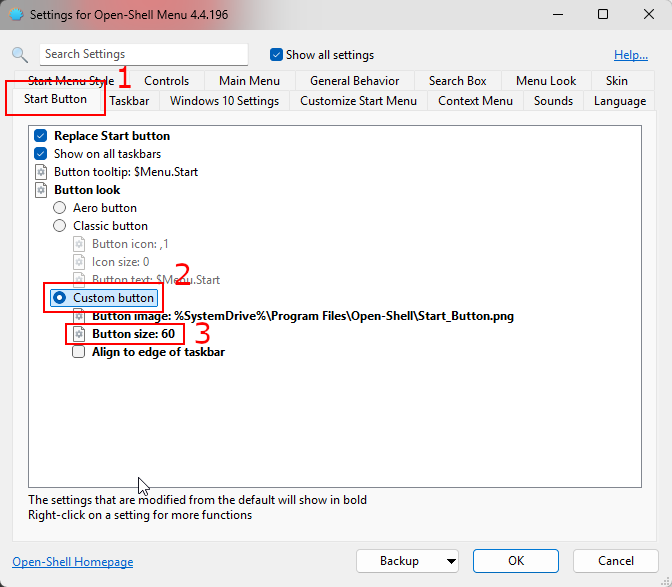
 In the `Start Button` menu in settings (1), check the `Custom button` is selected (2), and you can change the `Button size` to `60` (3).
 # Result